Anonymous Group Chat
What Sets Our Anonymous Group Chat Apart?
Experience unmatched control and privacy in group chats. Enjoy powerful search, customizable auto-delete, and robust group management features—all designed to keep your conversations secure and completely anonymous.
Search Groups by Name
Easily find the groups you've joined by searching for their names. This intuitive search feature lets you quickly access your favorite groups.Admin-Controlled Auto-Delete
Admins set a custom time frame for messages to automatically get deleted after they’re received, ensuring that group content remains secure and storage is optimized.Report or Leave Group
As a member, you can report any issues or choose to leave the group if it no longer suits your needs.Control Guest Access
Admins can enable or disable guest access. Restrict messaging and viewing to registered users or open group chats to everyone—your choice.Advanced Group Administration
Admins can set the auto-delete timer, promote members to admin, remove group members, change the group name, update the group profile picture, and reset the group invite link—all from one easy-to-use interface.Completely Anonymous Messages
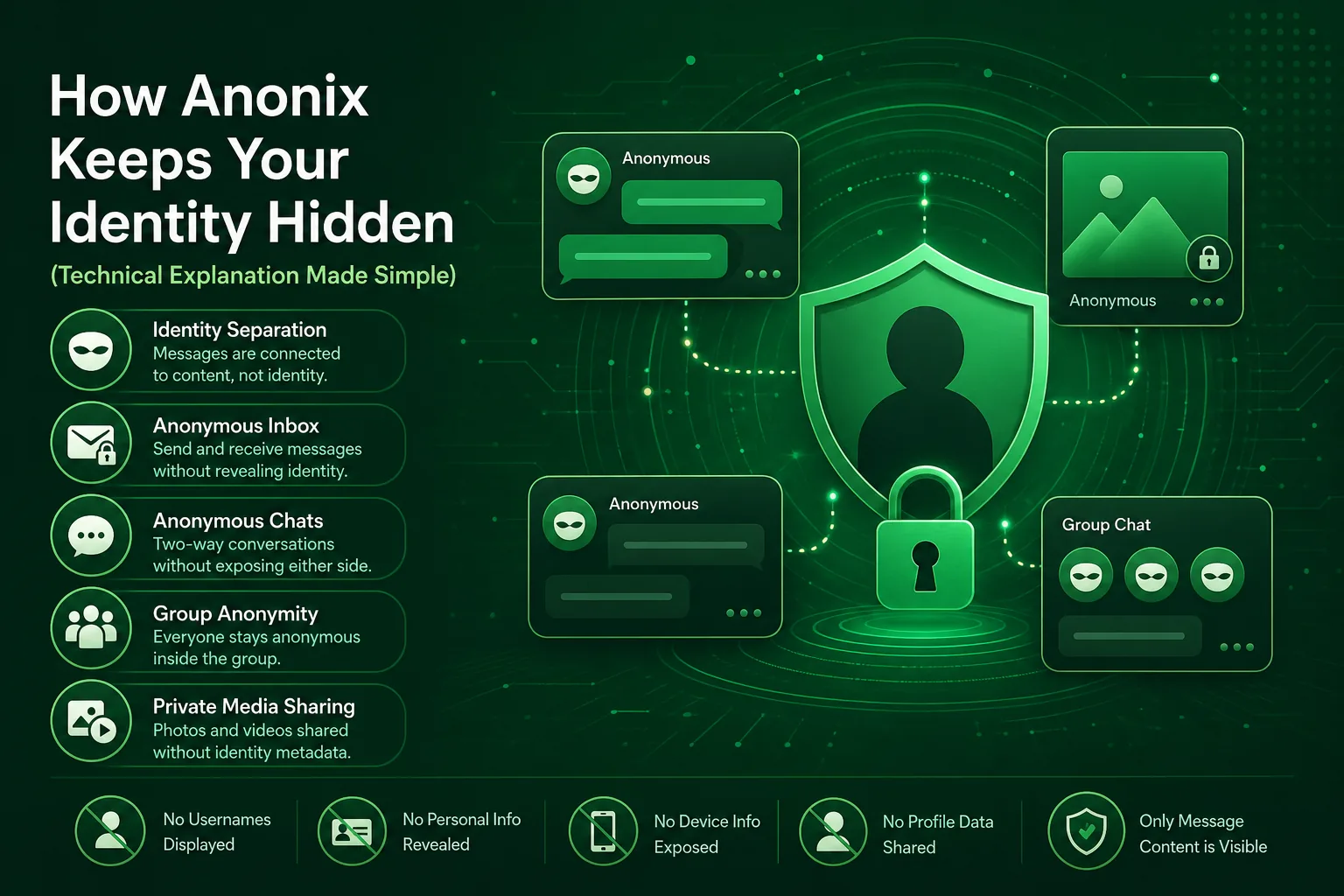
Every message in group chats is completely anonymous—no usernames are displayed. This ensures that your identity remains protected at all times.What Is Anonymous Group Chat?
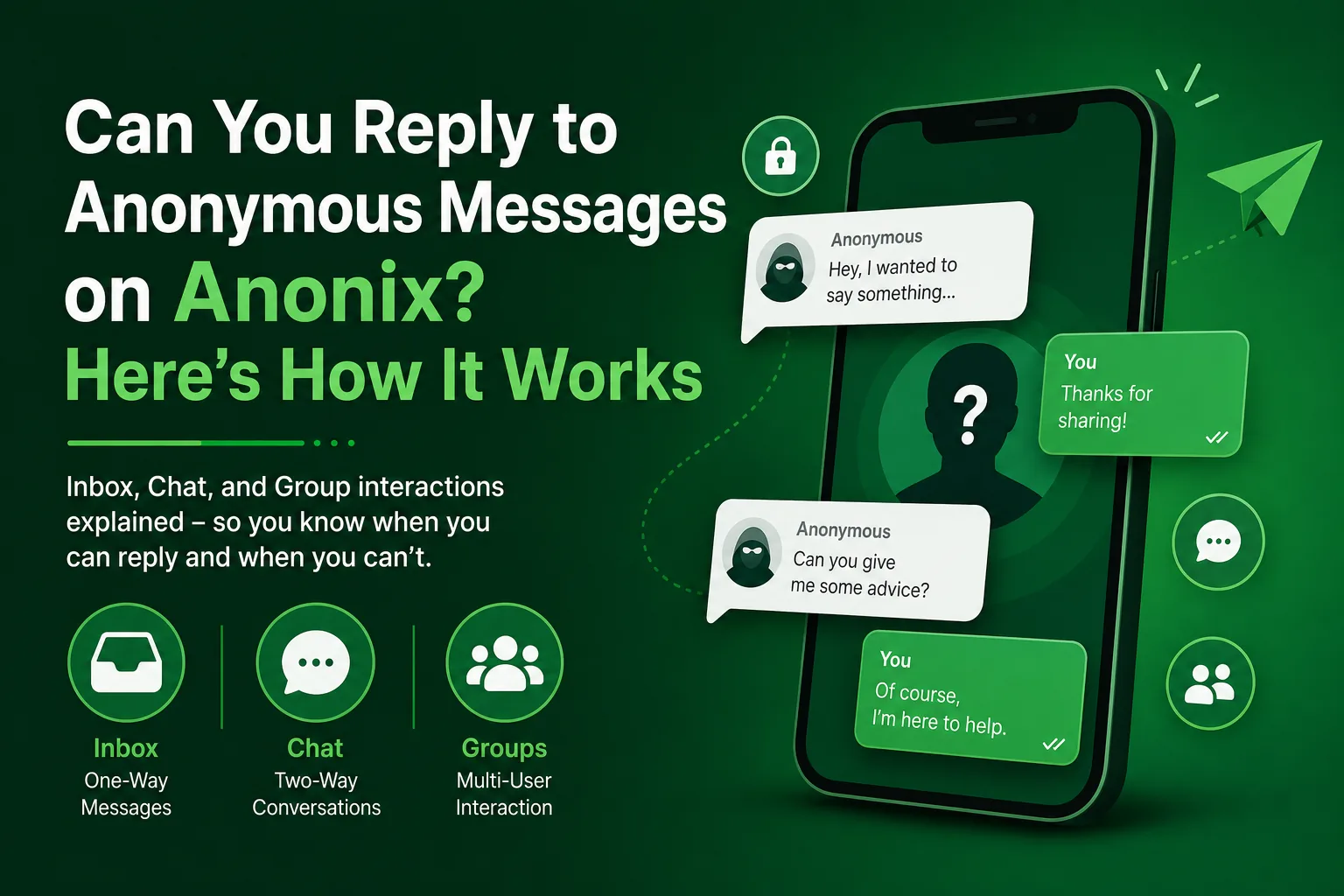
Anonymous group chat on Anonix allows multiple people to participate in a shared conversation space where every participant's identity remains hidden from all other members. Unlike private anonymous chats — which are one-to-one — group chats are community spaces where any number of participants can send messages, share media, and interact without revealing who they are.
Group chats are created by a registered user who becomes the group admin. The admin controls who can join, whether guest users without an account can participate, how long messages persist before auto-deletion, and the overall configuration of the group. Members can be promoted to admin status, removed, or restricted at any time without disrupting the rest of the group.
The guest access feature makes Anonix group chats especially powerful for public-facing scenarios. When enabled, people without an Anonix account can join through a shared link and contribute anonymously — removing the friction of sign-up for casual participants while the admin retains full moderation control.
Who Are Anonymous Group Chats For?
Anonymous group chats serve a wide range of use cases across communities and organisations. Online communities use them to host open discussion spaces where members can speak without social pressure or reputation risk. Educators use them to collect honest class feedback and questions from students who might otherwise stay silent. Friend groups use them for anonymous question games, confessions, or simply to communicate without the formality of identified messaging.
Anonix gives admins a comprehensive set of tools to manage their group effectively. The auto-delete timer applies globally to all messages, ensuring the entire conversation history stays within a defined window. Admins can change the group name and profile picture, reset the invite link if it has been shared too widely, and promote trusted members to co-admin status for shared moderation responsibilities.
Individual members who violate group norms can be removed instantly by the admin without disrupting anyone else. Members who feel uncomfortable can report the group to Anonix or leave at any time without the admin or other members being notified.
Anonymous Group Chat — FAQs
Can group members see each other's identities?
No. Every message in an Anonix group chat is sent without any username or identity attached. Members see messages but never who sent them — including messages sent by the group admin.
What is guest access and how does it work?
Guest access allows people without an Anonix account to join and participate by opening the group invite link. The admin enables or disables this at any time. When enabled, guests contribute anonymously just like registered members, with no account required.
Can the admin identify who sent a specific message?
No. The admin has exactly the same view of messages as all other members — messages appear without any sender identity attached. Admin privileges cover group configuration and moderation only, not identity disclosure of any kind.
What happens when an admin resets the invite link?
Resetting the invite link immediately invalidates the old one. Anyone attempting to join with the old link is denied access. Existing members already in the group are completely unaffected. The admin then shares the new link with the intended audience.
Can admins share moderation responsibility?
Yes. The group creator can promote any registered member to co-admin status. Co-admins gain access to the same moderation tools as the original admin, allowing shared management of larger or more active group chats.
How is group chat different from one-to-one anonymous chat?
Anonymous chat is a private conversation between exactly two people. Anonymous group chat is a shared space for many participants at once, with all members remaining fully anonymous to each other throughout every conversation.
How It Works
3 Easy Steps
Share Your Unique Anonix Link
Copy or Share your unique Anonix link with friends and family, which will serve as your identifier for receiving anonymous messages and chats.
Receive Anonymous Messages and Chats
Once your link is shared, start receiving anonymous messages in real-time. Anonix ensures your privacy by allowing others to express themselves freely while keeping their identities protected.
App Screenshots
Navigate seamlessly through the various features of Anonix.
.522f1c651d58.png)
.b9908794cfb0.png)
.b95a255fe254.png)
.6240f102ea14.png)
.f272e19e5a57.png)
.0823c88907c1.png)
.c1af5ebcc3e8.png)
.f6f36ebcde5d.png)
From Our Blog
Tips, Guides & Ideas

FAQs
Frequently Asked Questions
Download Anonix Now!
Download Anonix today and experience the freedom of anonymous communication. Share your thoughts, connect with others, and engage in meaningful conversations without revealing your identity. With its commitment to anonymity, real-time communication, and innovative features, Anonix is your gateway to a new world of authentic connection.

 Anonix
Experience the freedom of secure, anonymous messaging, chats, group chats, and media sharing.
Get In Touch
contact@anonix.link